

The University Grants Commission (UGC) of Sri Lanka has officially opened online registration for students selected for undergraduate courses for the 2025/2026 academic year.
If your name appears on the UGC selection list, you must complete your online registration through the official portal to secure your university place.
This guide provides a step-by-step walk-through of the UGC University Registration 2025/2026 process, including key dates, necessary documents, and payment details.
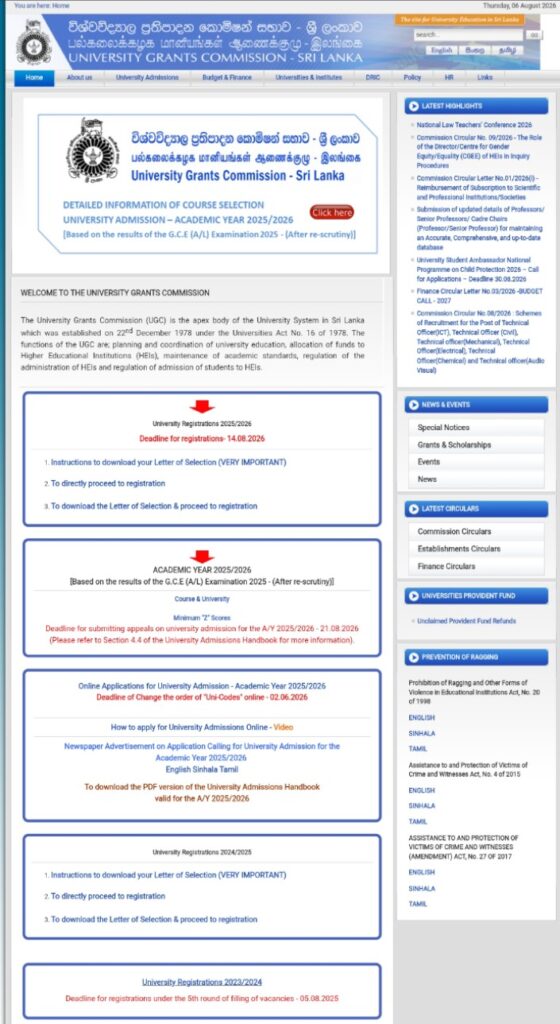
Key Details for UGC University Registration 2025/2026
- Authority: University Grants Commission (UGC) Sri Lanka
- Academic Year: 2025/2026
- Mode of Registration: Online only
- Official Website:e-selection.ugc.ac.lk
- Registration Status: Active
Step-by-Step Online Registration Process
Follow these steps to complete your registration smoothly:
- Visit the Official UGC PortalGo to the official UGC student registration portal at
e-selection.ugc.ac.lk. - Log In to Your AccountUse your G.C.E. A/L Index Number, NIC Number, and the password created during the initial application process.
- Verify Your DetailsCheck your personal information, selected university, and assigned degree programme carefully.
- Upload Required DocumentsScan and upload clear copies of all requested documents in the specified file formats (PDF/JPEG).
- Pay the Registration FeeComplete the payment using the online payment gateway or upload your bank payment slip.
- Submit and SaveReview your application before final submission. Save and print the confirmation receipt for future reference.
Documents Required for Registration
Make sure you have soft copies of the following documents ready before starting your application:
- National Identity Card (NIC) or valid Passport
- G.C.E. A/L Result Sheet
- G.C.E. O/L Result Sheet
- Birth Certificate (Clear scan of both sides)
- Passport-size Photograph (Taken against a plain background)
- Bank Payment Receipt (If paying offline)
UGC University Registration Fees & Payment Methods
You can pay your registration fee conveniently through two main methods:
| Payment Method | Process |
| Online Payment | Credit Card / Debit Card via the UGC portal |
| Bank Payment | Download slip, pay at designated bank branches, and upload receipt |
Note: Always keep the original payment receipt safe until physical registration at your allocated university is completed.
Important Instructions for Selected Students
- Do not delay your application until the final date to avoid server congestion.
- Ensure all scanned documents are legible and uploaded in the requested format.
- If you wish to appeal for a course or university change, ensure you complete the initial registration first.
Frequently Asked Questions (FAQ)
How do I complete my UGC University Registration 2025/2026?
Visit e-selection.ugc.ac.lk, log in using your A/L index number and NIC, verify your details, upload the required documents, pay the fee, and submit the form online.
What is the official website for UGC registration?
The official portal for online registration is e-selection.ugc.ac.lk
.
Can I register online using my mobile phone?
While accessible on mobile, it is highly recommended to use a desktop or laptop computer to ensure proper document uploading and error-free submission.
What should I do if I want to appeal for a university transfer?
You must first complete your UGC University Registration 2025/2026 for your currently selected university before submitting an online appeal.
Conclusion
Completing your UGC University Registration 2025/2026 on time is essential to secure your higher education seat in Sri Lanka. Gather your documents, double-check your uploaded information, and submit your application well before the deadline.
Stay tuned to slexams.lk for further updates on university intake dates, appeals, and hostel registration procedures. Share this guide with your fellow students!